. Publishing and Unpublishing Modules
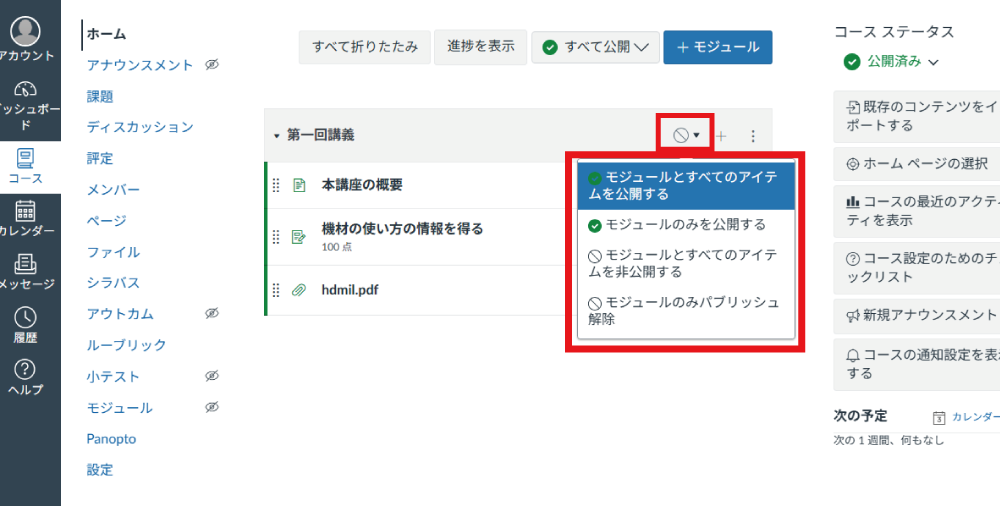
Whether a module is published or unpublished can be identified by the icon to the right of the module title. Clicking this icon allows you to toggle between published and unpublished states.
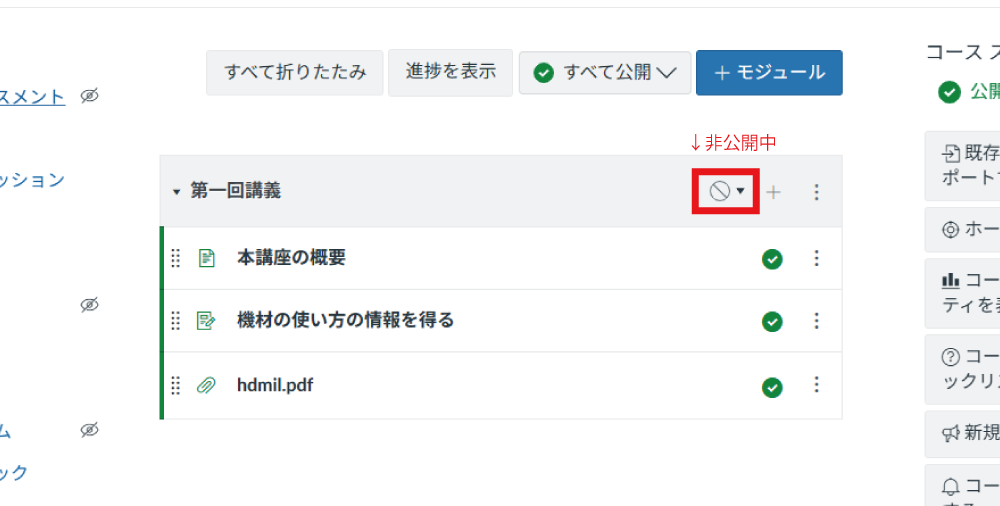
Whether a module is published or unpublished can be identified by the icon to the right of the module title. Clicking this icon allows you to toggle between published and unpublished states.
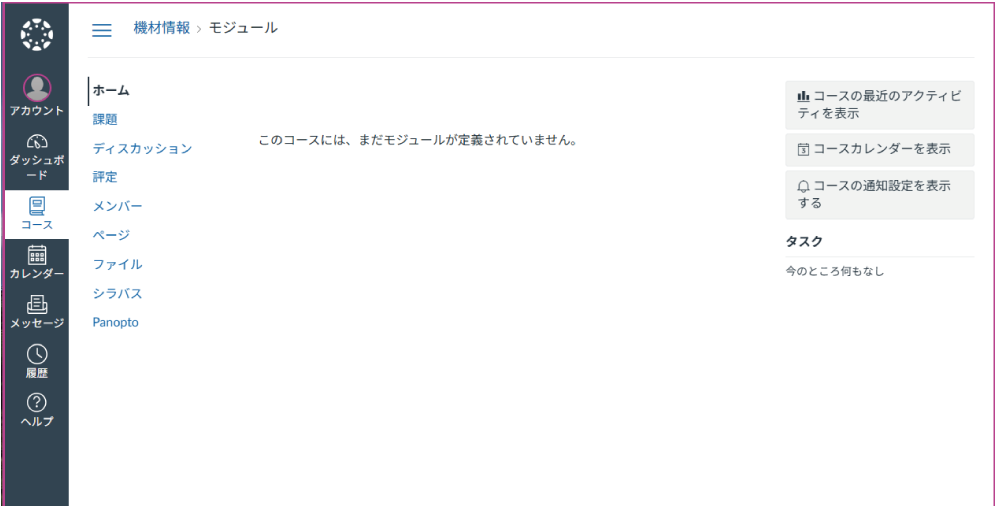
[Student View] If there are no published modules, students will see the message "No modules have been defined for this course yet." Even if individual materials inside the module are published, this message will still appear.
. Publishing and Unpublishing Materials within Modules
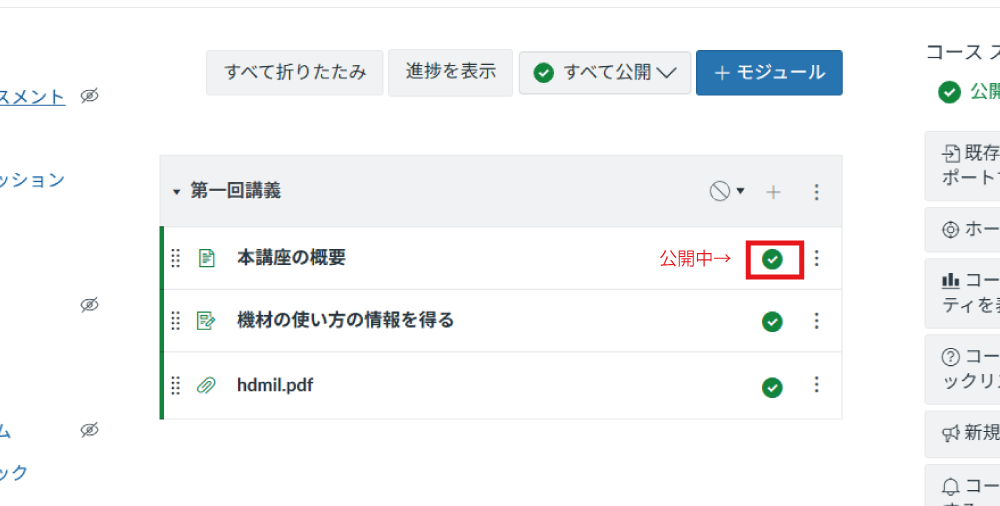
Whether materials within a module are published or unpublished can be identified by the icon to the right of the item title. Clicking this icon allows you to toggle between published and unpublished states.
As shown in the image, if the module is published but individual materials have different publish settings, students will only see the materials that are published.
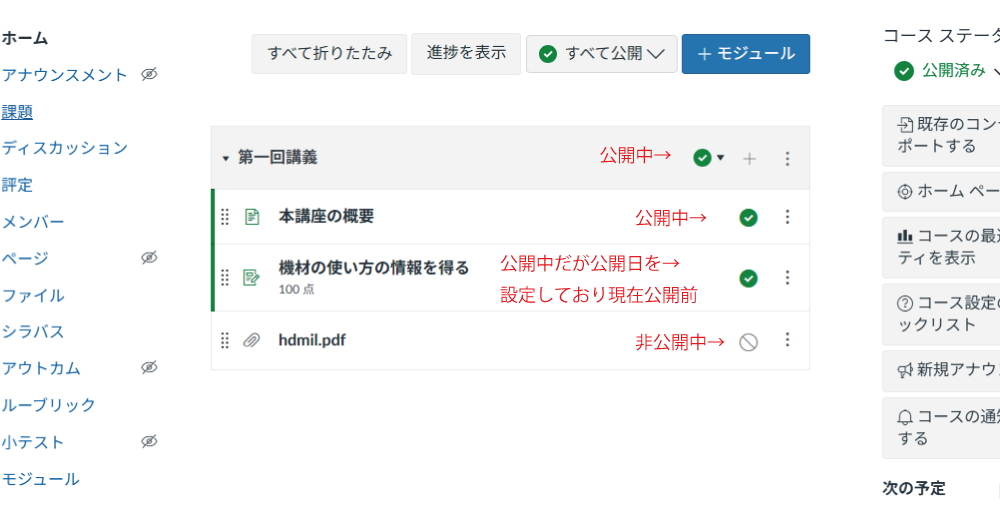
[Student View] All items except unpublished ones will be displayed.
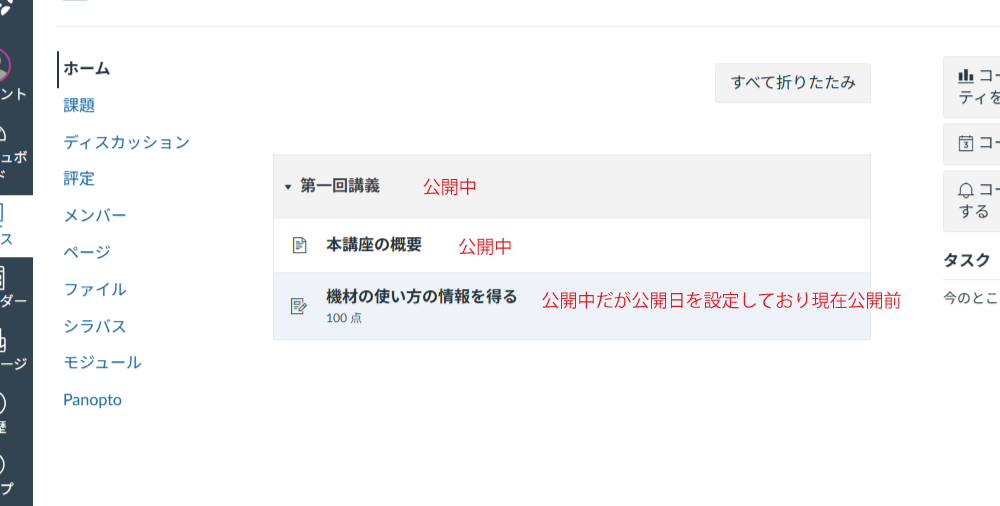
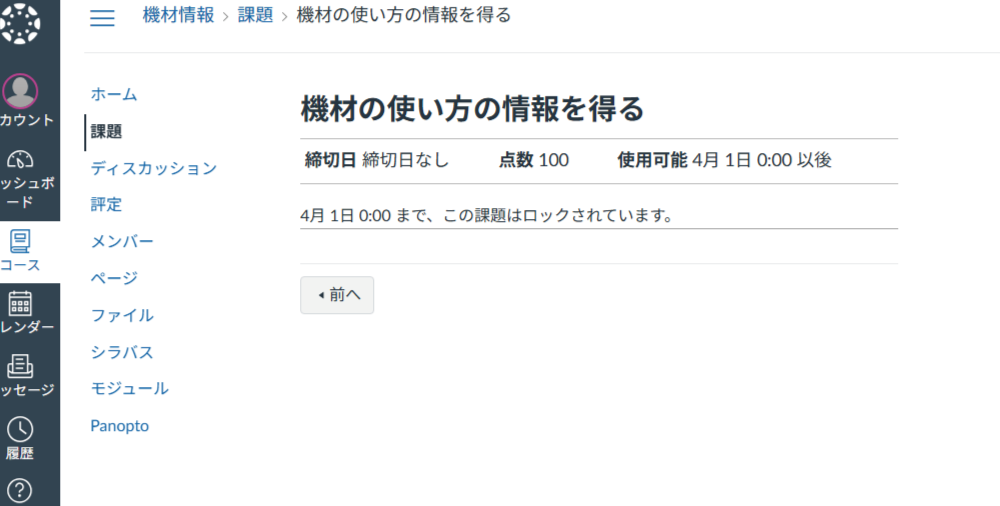
[Student View] If an availability date has been set and the current date is before that unlock date, quizzes cannot be taken. Course materials to view will show a message such as "This page is locked until Apr 1 at 0:00", preventing students from viewing the content until that date and time.