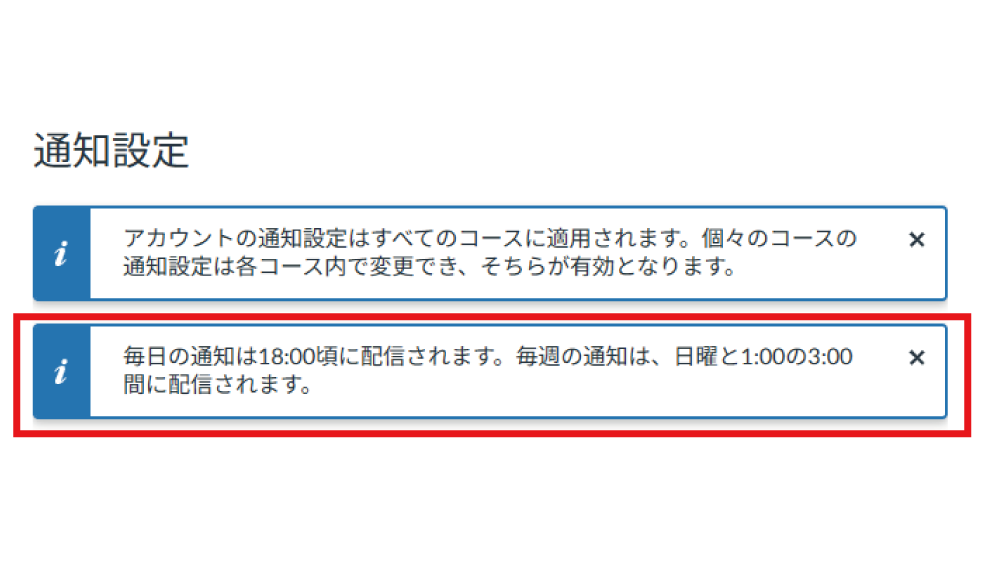
. Setting Your Notifications
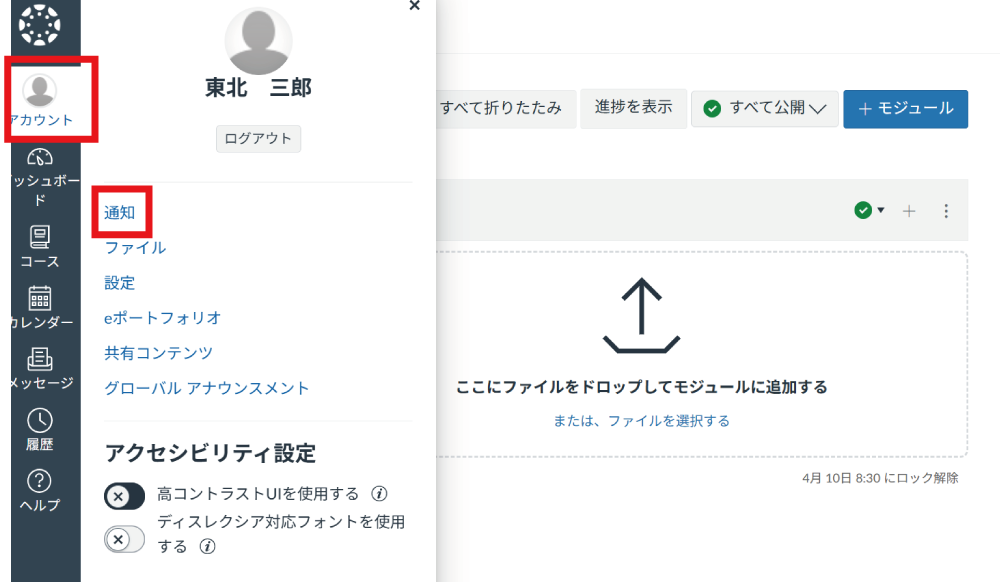
Click "Account" in the Global Navigation, then click "Notifications".
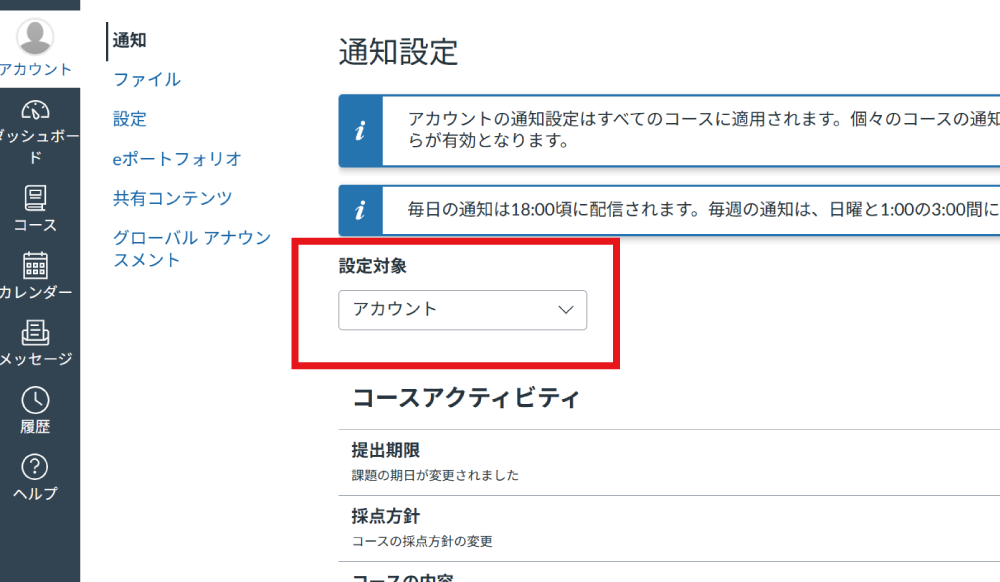
Select "Settings for".
Selecting [Account] applies notifications to all courses. You can also configure individual settings for specific courses by selecting the course name.
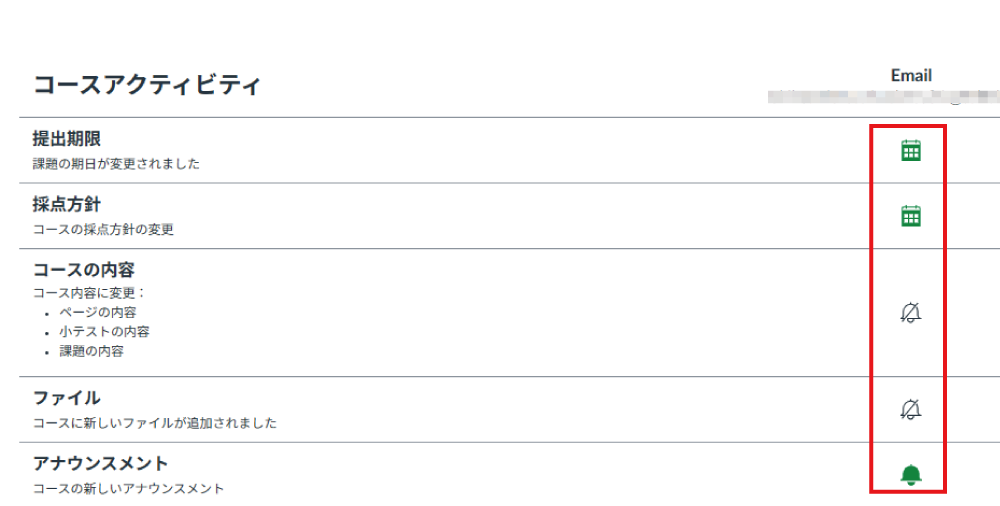
In Course Activities, you can configure email notification settings. Notifications will be sent to the email address used to log in to Canvas LMS.
. Daily and Weekly Notifications
The "Daily" and "Weekly" notification frequencies listed at the top cannot be changed.