. Changing Display Language
In Canvas LMS, you can change the display language of the interface.
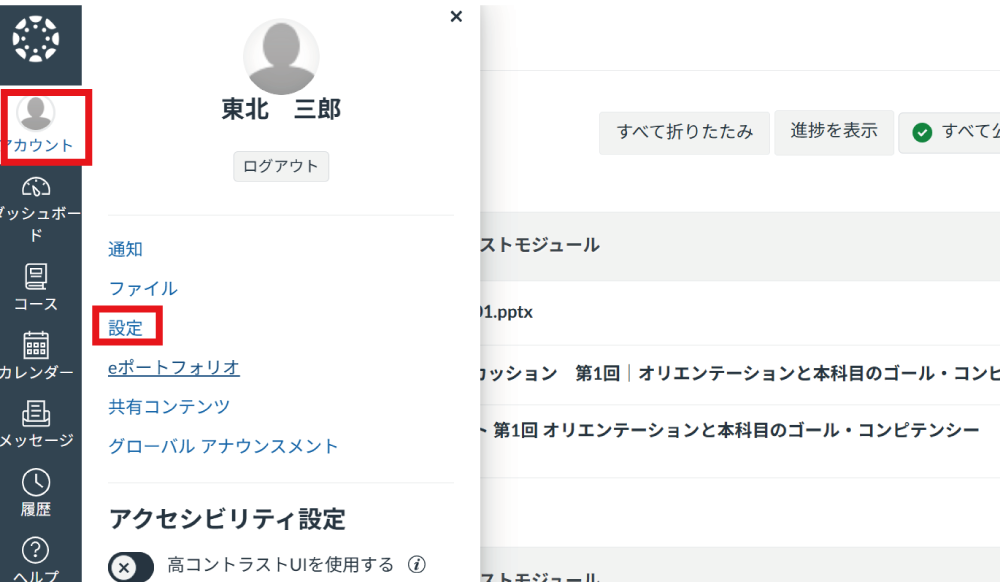
Select "Account" from the menu on the left side of the screen and click "Settings".
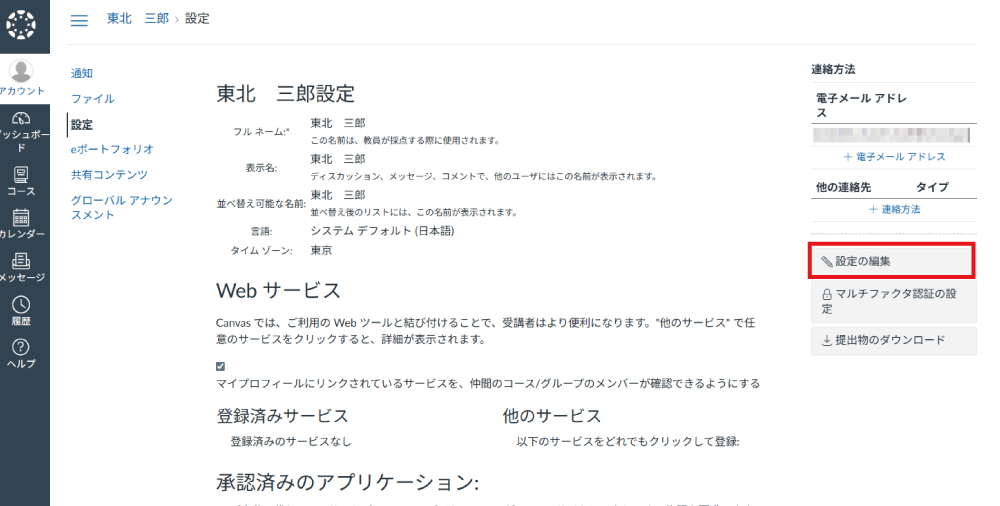
Click "Edit Settings".
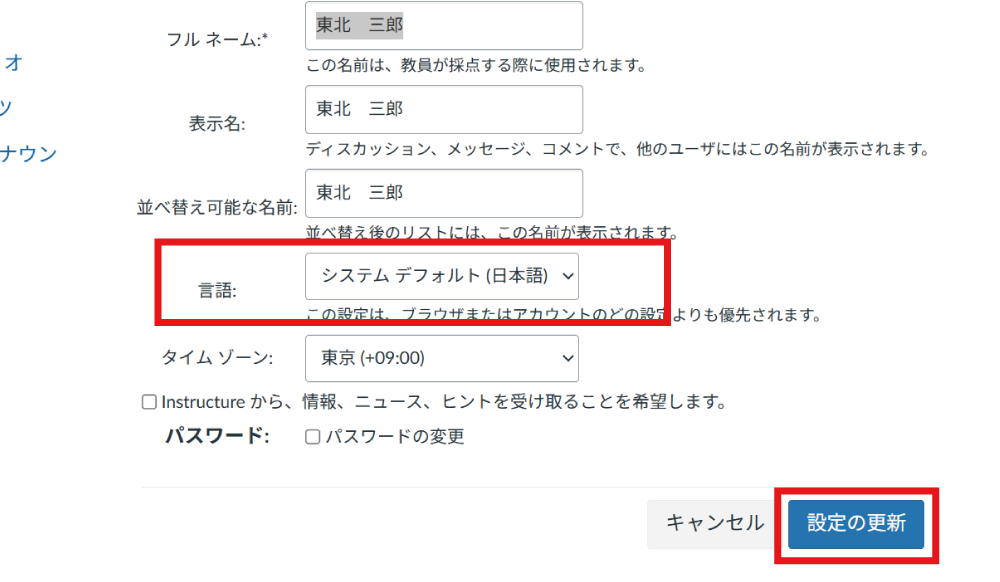
Select your preferred "Language" and click "Update Settings".